Insperity COBRA form: how to fill out, sign and send it
Insperity says to elect COBRA in its online self-service portal, and to use the paper election form from your COBRA packet if you are enrolling only an eligible dependent. If that is you and the form is a PDF, fill it in and sign it here.
Last updated:
Online first. Insperity describes an online self-service portal for electing, managing and paying for COBRA. It is the main route on its page, and the portal link is cobra.insperity.com.
We don't sell your data. This tool runs in your browser, so your files stay on your device and are never uploaded.
What Insperity says about electing COBRA
Insperity says it offers COBRA participants an online administration system for electing, managing and submitting payments for their coverage.
Source: Insperity, COBRA Coverage Self-Service Portal (cobra.insperity.com) (read October 27, 2026)
To register, you supply the unique registration identification number from your new member notice, plus a second piece of identification.
Source: Insperity, COBRA Coverage Self-Service Portal (cobra.insperity.com) (read October 27, 2026)
After you register, you reach the online election page, review options under Product Information, choose coverage with Add Election and confirm with Confirm And Add Election.
Source: Insperity, COBRA Coverage Self-Service Portal (cobra.insperity.com) (read October 27, 2026)
Its page says that if you wish to enroll only an eligible dependent, you should complete the paper election form enclosed in your COBRA packet.
Source: Insperity, COBRA Coverage Self-Service Portal (cobra.insperity.com) (read October 27, 2026)
The Insperity page does not say how to send the paper form back, so check your COBRA packet for that. It also does not say whether the form is ever sent as a PDF.
Your election notice has your own address, phone numbers and dates. We do not list them, so use the ones in your notice.
Fill out and sign a PDF Insperity election form
These steps cover the dependent-only case, when your COBRA packet includes the paper election form as a PDF or as a page you can scan.
Find the election form in your packet. It is the form enclosed with the COBRA packet that Insperity describes. A scan or photo works as a PDF if you use Scan to PDF first.
Fill in the dependent's details. Open the form in Fill and Sign PDF and type the dependent's information on the lines the form asks for.
Sign and date. Place your signature and the date where the form asks for them.
Download and send. Save the file and return it the way your packet says, then keep a record of the day you sent it.
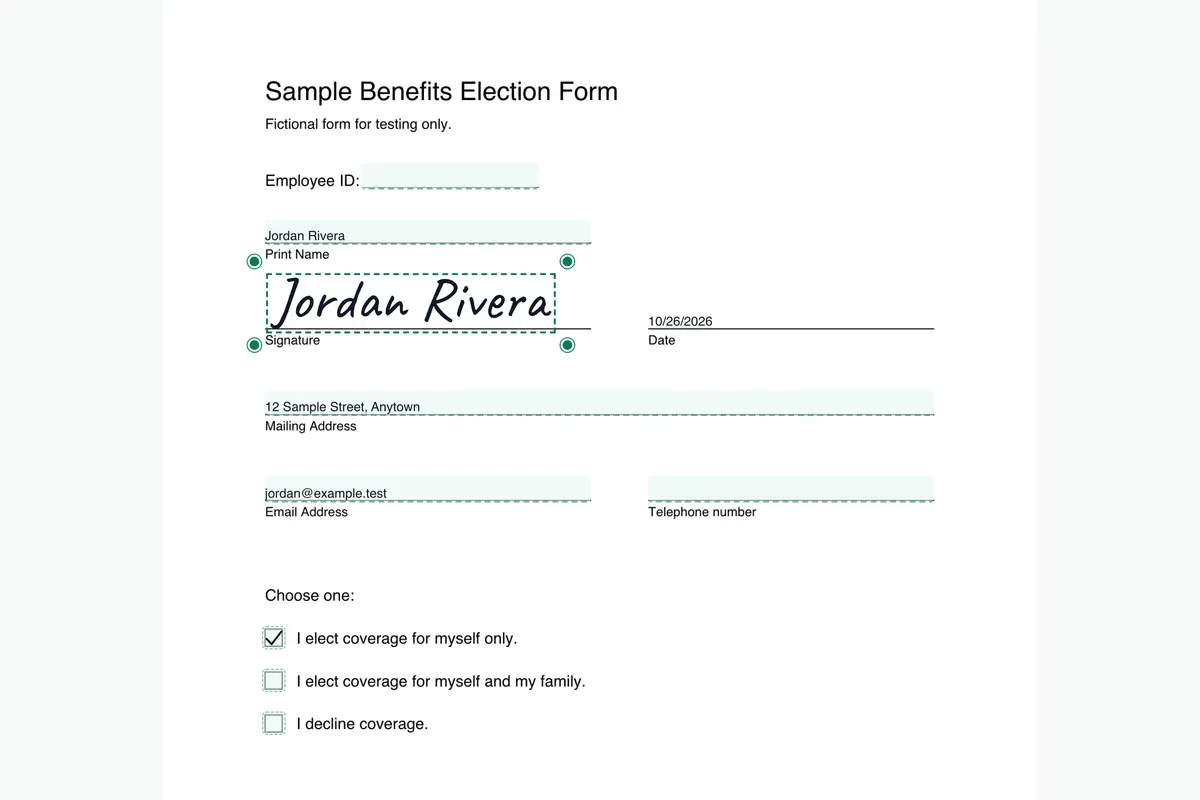
More detail is in our guide to how to fill out and sign a COBRA election form.
What to keep
- The new member notice with your registration number, in case you also use the portal.
- The signed dependent election form as a PDF.
- Proof of how and when you returned it, such as a mail receipt or a sent email.
Federal timing, from the Department of Labor
- The Department of Labor says that if you qualify for COBRA continuation coverage, you have at least 60 days to decide whether to enroll.
- It says the 60-day election period begins on the later of two dates: the date the plan provides the election notice, which may be the date it is mailed, or the date you would otherwise lose coverage.
- It also says plans must give you at least 45 days to make your first payment.
Source: U.S. Department of Labor, A Worker's Guide to Health Benefits Under COBRA (read October 27, 2026). Your election notice has your actual dates.
Questions about the Insperity COBRA form
How do I elect COBRA online with Insperity?
Insperity says to register with the unique registration number from your notice and a second identifier, open the election page, choose Add Election, check your elections and dependents, then choose Confirm And Add Election.
When does Insperity say to use the paper form?
Its page says to complete the paper election form enclosed in your COBRA packet if you wish to enroll only an eligible dependent.
Where do I find my Insperity registration number?
The page says it is the unique registration identification number provided in your new member notice.
Does PDFinish keep the dependent details I type?
No. The form is opened and filled on your device, so what you type about a dependent is not uploaded.
More COBRA form pages
Sources
- Insperity, COBRA Coverage Self-Service Portal (cobra.insperity.com): cobra.insperity.com/ (read October 27, 2026)
- U.S. Department of Labor, A Worker's Guide to Health Benefits Under COBRA: dol.gov/agencies/ebsa/about-ebsa/our-activities/resource-center/publications/workers-guide-health-benefits-cobra (read October 27, 2026)
PDFinish is not affiliated with Insperity. We describe what Insperity says on its own public pages, and we do not host or change its forms.
General information, not legal, tax or insurance advice.