Crop PDF pages
Draw the part to keep, or trim the white margins, then save.
or drop it here. PDF files up to 50 MB
Your file stays on your device. Nothing is uploaded unless you choose Email it to me.
- 2 free uses in total, no account needed
- No ads
- Nothing to install
How it works
1. Add your PDF
Choose it from your device or drop it on the page.
2. Set the box
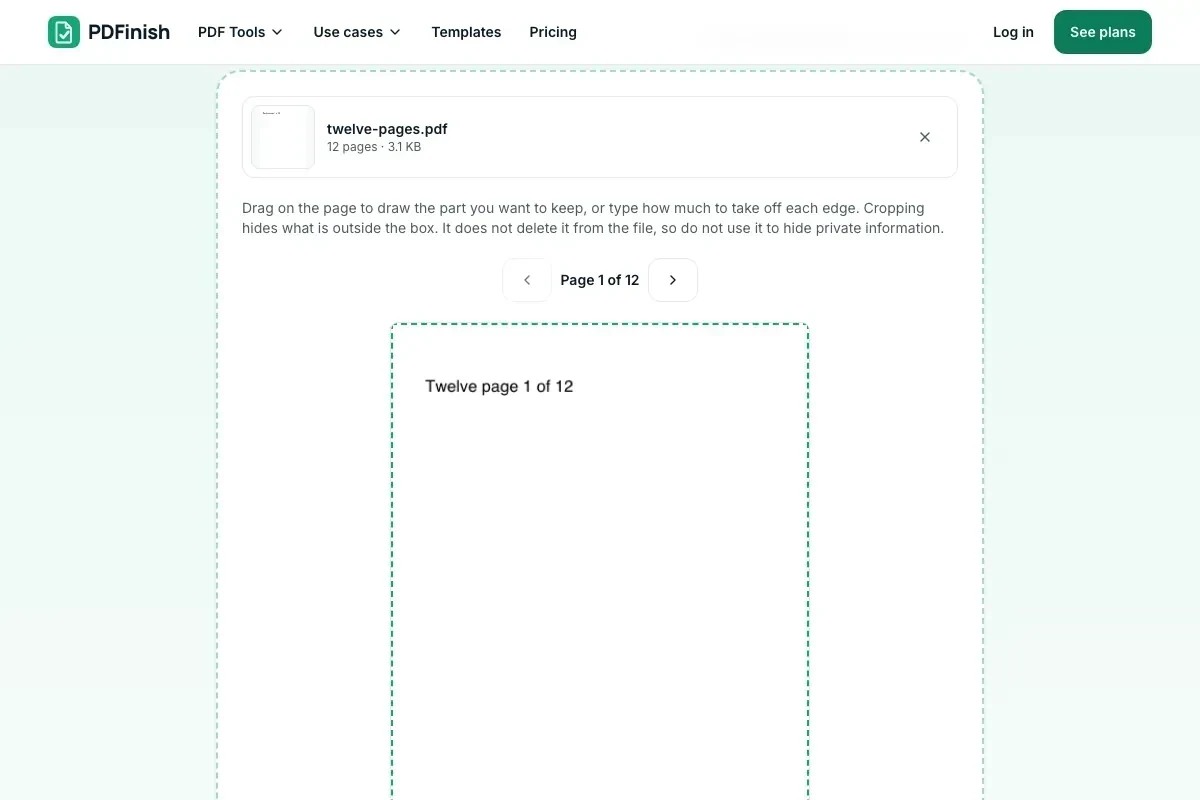
Drag a box on the page, or type the margins to take off.
3. Pick the pages and save
Pick the pages, then save the cropped PDF.
What you can do in this tool
Draw the box
Drag on the page to draw the part you want to keep.
Or type the margins
Type how much to take off each edge, in inches or millimetres.
Trim white margins
Press Trim white margins and the tool finds the edge of the content for you.
Some pages or all
Apply the crop to every page or only the pages you pick.
Stays on your device
Cropping happens in your browser, and your original file is not changed.
Good to know
- Cropping changes what is shown, not what is stored. The part outside the box stays inside the file, so do not use it to hide private information.
- To remove something for good, use Redact PDF.
Common questions
How do I crop a PDF?
Add the file, drag a box over the part of the page you want to keep or type the margins to remove, choose which pages it applies to, and press Crop PDF. The cropped file downloads from the result screen.
Does cropping remove the content outside the box?
No. Cropping sets the area the page shows. The text and images outside it are still in the file, and some programs can show them again. If you need something gone for good, cropping is not the way. Do not rely on it to hide names, numbers or other private details.
How do I trim PDF margins automatically?
Press Trim white margins. The tool draws the pages you picked, finds the edge of the content on each, and sets the box so every page keeps all of its content, with a small gap. You can still change the numbers before you save.
Can I crop only some pages?
Yes. Choose Only some pages and type a range such as 1-3, 5, 8-. The same margins are taken off each of those pages, measured from that page's own edges. The other pages stay as they are.
Will the crop show in other PDF viewers and printers?
Yes. We set the crop box in the file, which standard PDF viewers follow. Printing and exporting from most programs use it too. A few specialist print tools look at the full page instead. To set the paper size afterwards, use Resize PDF.
Is my file uploaded when I use Crop PDF?
No. Your pages are cropped in your browser. The file is not sent to our servers.
Is Crop PDF free, and are there limits?
You can use it free. You get 2 free uses in total, no account needed. Free files can be up to 50 MB. Pro has no limit on uses and allows files up to 500 MB. We check the limits before a use starts, so a finished file is never held back.
Can I use Crop PDF on a Windows PC?
Yes. Open this page in Chrome or Edge on your PC, add your file and download the result. Nothing to install, and your file stays on your device.
More about this tool
How to crop a PDF in 3 steps
To crop a PDF, add the file, drag a box over the part you want to keep or type how much to take off each edge, pick the pages, then save. Cropping hides the rest of the page, it does not delete it from the file.
- 1
Add your PDF
Drop the document onto the tool, or choose it from your device. The first page is drawn so you can see what you are cropping.
- 2
Set the box
Drag on the page to draw the part you want to keep, or type the margins to take off in inches or millimetres. Trim white margins fits the box to the content.
- 3
Pick the pages and save
Apply the crop to every page or only some, then download the cropped PDF. Your original file is not changed.
Key facts
- Privacy: We don't sell your data. This tool runs in your browser, so your files stay on your device and are never uploaded.
- Ads: none. No third-party ads and no ad cookies.
- Limits: 2 free uses in total, no account needed, and no limit on uses with Pro. Files up to 50 MB free, 500 MB with Pro. Limits are checked before a use starts, never after.
- Price: free to start. Pro is $2.99 a month or $24 a year. Lifetime is $50 for the first 500 founders. Pro cancels in one click.
- Works on: Windows, Mac, iPhone, Android. Nothing to install.
- Cropping changes what is shown, not what is stored. The part outside the box stays inside the file, so do not use it to hide private information.
- Trim white margins finds the edge of the content for you, on the pages you pick.
Last updated:
By the PDFinish editorial team · Reviewed
Related toolsOrganize
Resize PDF
Change the page size to Letter, A4, Legal and more.
Rotate PDF
Turn sideways or upside-down pages the right way up.
Extract Pages from PDF
Keep only the pages you pick and save them as a new PDF.
Organize PDF
Drag page thumbnails to reorder, rotate or remove pages.
Multiple Pages per Sheet
Put 2, 4, 6, 9 or 16 pages on one sheet to print on less paper.
Redact PDF
Black out words or areas and remove them for good.