Convert AZW3 to PDF
Add your AZW3 book and get a PDF with bookmarks.
or drop it here. .mobi, .prc, .azw or .azw3 files. MOBI books up to 50 MB
Your file stays on your device. Nothing is uploaded unless you choose Email it to me.
- 2 free uses in total, no account needed
- No ads
- Nothing to install
How it works
1. Add your AZW3 book
Choose your .azw3 book from your device, or drop it on the page.
2. Choose how it looks
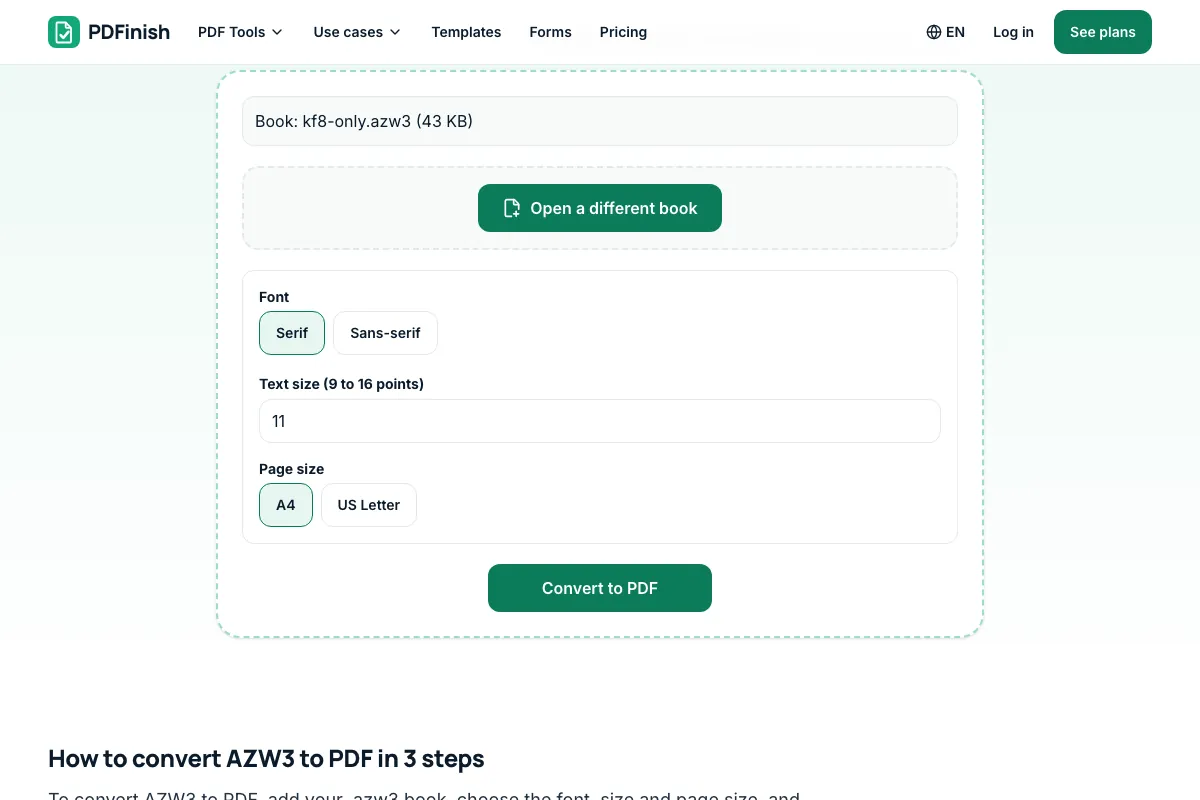
Pick serif or sans-serif, a text size and a page size.
3. Download your PDF
Save the finished PDF. The chapters flow onto as many pages as they need.
What you can do in this tool
Chapters in order
Chapters follow the book's order. Headings, paragraphs, bold and italic, lists, quotes and JPG or PNG pictures carry over.
Contents become bookmarks
The book's contents list becomes bookmarks. Without one, the chapter headings become the bookmarks.
You choose the look
Pick serif or sans-serif, a text size from 9 to 16 points, and A4 or US Letter. Larger text makes more pages.
Stays on your device
Your book is opened and drawn in your browser. It is never uploaded, and nothing in it is run.
Books with DRM are refused
Books protected with DRM cannot be converted, and we say so plainly. Styles are not applied, so colours, custom fonts and columns are not kept.
Good to know
- Your book is opened and drawn in your browser. It is never uploaded, and nothing in it is run.
- Chapters follow the book's order. Headings, paragraphs, bold and italic, lists, quotes and JPG or PNG pictures carry over, and the book's contents list becomes bookmarks. Without one, the chapter headings become the bookmarks.
- Books protected with DRM cannot be converted, and we say so plainly. Styles are not applied, so colours, custom fonts and columns are not kept.
Common questions
How do I convert an AZW3 to PDF?
Add the .azw3 file, choose the font, text size and page size, then press Convert to PDF. The file downloads from the result screen. The book's contents list becomes bookmarks in the PDF, or its chapter headings if it has no list.
Can I convert a Kindle book with DRM?
No. A book protected with DRM has its content encrypted, so it cannot be read here, and we do not help remove that protection. Most books bought from the Kindle Store are protected. Free books and your own writing usually are not. If a book is refused, the message says it is DRM.
What is an AZW3 file?
AZW3 is the newer Kindle e-book format, also called KF8. It keeps a book's text as web-style pages with an index of chapters. This tool reads that index to put the chapters back in order. The same tool opens .mobi, .azw and .prc books too.
Will the PDF look like the book on my Kindle?
Not exactly. We draw the book in a plain, readable layout and do not apply its styles, so colours, custom fonts, columns and positioned boxes are not kept. JPG and PNG pictures carry over, and GIF pictures are skipped. Text books such as novels, manuals and reports work best. Comics, fixed-layout books and right-to-left or Chinese, Japanese and Korean text are not supported.
Why did my AZW3 fail to open?
A damaged download, a file renamed from another type, or a very large book can fail. A Topaz (.azw1) book is not read, and neither is a book with the old Huffman compression. If the message says the index could not be read, try a .mobi or EPUB copy. If it mentions DRM, the book is protected.
Is my file uploaded when I use AZW3 to PDF?
No. Your book is read, laid out and saved as a PDF in your browser. The file is not sent to our servers.
Is AZW3 to PDF free, and are there limits?
You can use it free. You get 2 free uses in total, no account needed. Free files can be up to 50 MB. Pro has no limit on uses and allows files up to 500 MB. We check the limits before a use starts, so a finished file is never held back.
Can I use AZW3 to PDF on a Windows PC?
Yes. Open this page in Chrome or Edge on your PC, add your file and download the result. Nothing to install, and your file stays on your device.
More about this tool
How to convert AZW3 to PDF in 3 steps
To convert AZW3 to PDF, add your .azw3 book, choose the font, size and page size, and download the PDF, with the book's contents as bookmarks. It works on books without DRM, and nothing is uploaded.
- 1
Add your AZW3 book
Drop an .azw3 file onto the tool, or choose one from your device. It must be a book without DRM, such as a free book or your own writing.
- 2
Choose how it looks
Pick serif or sans-serif, a text size from 9 to 16 points, and A4 or US Letter. Larger text makes more pages.
- 3
Download your PDF
Save the finished file. The chapters flow onto as many pages as they need, and the book's contents list becomes bookmarks you can jump between in a PDF reader.
How do I convert AZW3 to PDF?
Add your .azw3 file to AZW3 to PDF, choose a font and page size, and download the PDF. Your book is read in your browser. It is not sent to our servers, and its contents list becomes bookmarks you can jump between in any PDF reader. Books protected with DRM are refused.
How do I convert an AZW3 to PDF for free?
Use AZW3 to PDF. You get 2 free uses in total with no account, and one conversion counts as one use. Free files can be up to 50 MB each. Pro has no limit on uses and allows files up to 500 MB.
Is it safe to convert AZW3 to PDF online?
With AZW3 to PDF, your book is read and drawn inside your browser and is not sent to our servers. Nothing in the book is run, and no link in it is visited. You can check this yourself in your browser's network tab while you convert, where no request carries your book.
Can I convert an AZW3 to PDF on my phone?
Yes. It works in the browser on a phone or tablet: choose the .azw3 file from your files, press Convert to PDF, and save the result. Very large books need more memory, so a long book may convert faster on a computer.
Can I convert a DRM-protected AZW3 to PDF?
No. If a book's content is encrypted with DRM, AZW3 to PDF tells you it cannot convert it and stops. We do not remove DRM. Use a copy that has none, such as a free book or your own writing.
Does AZW3 to PDF keep chapters and bookmarks?
Yes. Chapters stay in the book's order, and the book's own contents list becomes bookmarks in the PDF, so you can jump between chapters in any PDF reader. If the book has no list, its chapter headings are used. The text stays real, selectable text that you can search and copy, not a picture of a page.
Does AZW3 to PDF keep the book's fonts and colours?
No. Styles are not applied, so you get a clean, readable layout with the serif or sans-serif font you choose. Bold, italic, lists and quotes are kept. For a book where the design matters, a PDF made by its publisher will look closer to the original.
What is the difference between AZW3 and MOBI?
Both are Kindle formats. MOBI is the older one, and AZW3 is its newer version with better support for web-style layout. This page opens AZW3, and MOBI to PDF opens MOBI with the same reader. For an EPUB book, use EPUB to PDF.
Can I put several AZW3 books into one PDF?
Convert each book on its own, then join the PDFs with Merge PDF, which also runs in your browser. Each conversion is one of your free uses, and the joining step is one more use. Merge keeps every page in the order you choose, so you can build one file from a whole series.
Can I make the PDF smaller or number its pages?
Yes. A long book can make a large PDF, so shrink it with Compress PDF, or add page numbers with Add Page Numbers. Both run in your browser too, so the book still never leaves your device, and each one counts as one of your free uses.
Key facts
- Privacy: We don't sell your data. This tool runs in your browser, so your files stay on your device and are never uploaded.
- Ads: none. No third-party ads and no ad cookies.
- Limits: 2 free uses in total, no account needed, and no limit on uses with Pro. Files up to 50 MB free, 500 MB with Pro. Limits are checked before a use starts, never after.
- Price: free to start. Pro is $2.99 a month or $24 a year. Lifetime is $50 for the first 500 founders. Pro cancels in one click.
- Works on: Windows, Mac, iPhone, Android. Nothing to install.
- Your book is opened and drawn in your browser. It is never uploaded, and nothing in it is run.
- Chapters follow the book's order. Headings, paragraphs, bold and italic, lists, quotes and JPG or PNG pictures carry over, and the book's contents list becomes bookmarks. Without one, the chapter headings become the bookmarks.
- Books protected with DRM cannot be converted, and we say so plainly. Styles are not applied, so colours, custom fonts and columns are not kept.
Last updated:
By the PDFinish editorial team · Reviewed
Related toolsConvert
MOBI to PDF
Turn a MOBI Kindle book into a PDF.
EPUB to PDF
Turn an EPUB book into a PDF, with its contents as bookmarks.
PDF to EPUB
Turn a PDF into an EPUB e-book.
HTML to PDF
Turn an HTML file, a zip, or pasted HTML into a PDF.
TXT to PDF
Turn a plain text file, or text you paste, into a PDF.
PDF Reader
Open and read a PDF in your browser. Nothing is uploaded.
Add Bookmarks to PDF
Add and reorder bookmarks that jump to pages.
Merge PDF
Combine several PDFs into one file, in the order you choose.
Compress PDF
Shrink a PDF so it is easier to email and upload.
CBZ to PDF
Turn a CBZ comic into one PDF.