Convert TXT to PDF
Add a text file or paste your text and get a PDF.
or drop it here. .txt files. text files up to 50 MB
Your file stays on your device. Nothing is uploaded unless you choose Email it to me.
- 2 free uses in total, no account needed
- No ads
- Nothing to install
How it works
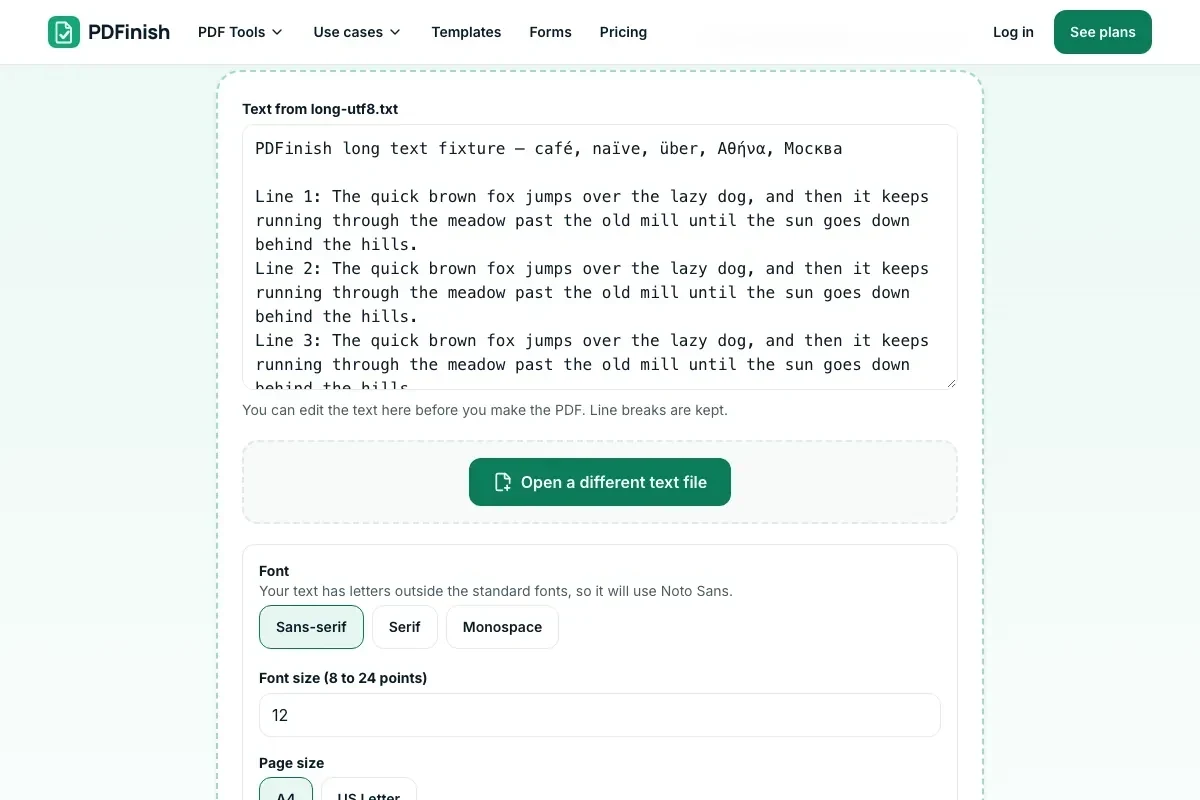
1. Add your text
Choose a .txt file from your device, or type or paste your text.
2. Choose how it looks
Pick a font, size, margin and page size. Add page numbers if you like.
3. Download your PDF
Save the finished PDF. The text flows onto as many pages as it needs.
What you can do in this tool
Line breaks kept
Line breaks and indentation are kept. Long lines wrap at spaces, and a new page starts when one fills up.
Text you can search
The words in the PDF can be selected and searched, because the text is drawn as text, not as a picture.
You choose the look
Pick sans-serif, serif or monospace, a font size from 8 to 24 points, a margin, and A4 or US Letter.
Stays on your device
Your text is turned into a PDF in your browser. The file is not sent to our servers.
Works on any device
Runs in your browser on Windows, Mac, iPhone, Android or a Chromebook. Nothing to install.
Good to know
- Line breaks and indentation are kept. Long lines wrap at spaces, and a new page starts when one fills up.
- The words in the PDF can be selected and searched, because the text is drawn as text, not as a picture.
- Latin, Greek and Cyrillic letters work. Chinese, Japanese, Korean, Arabic, Hebrew and emoji do not yet.
Common questions
How do I convert a TXT file to PDF?
Add the .txt file, or type or paste your text. Choose the font, size, margin and page size, then press Convert to PDF. The file downloads from the result screen.
Can I change the font and size?
Yes. Choose sans-serif, serif or monospace, and a size from 8 to 24 points. Monospace keeps columns lined up. If your text has letters outside the standard fonts, such as Greek or Cyrillic, the PDF uses Noto Sans for it.
Do long lines and tabs work?
Yes. A line wider than the page breaks at a space and carries on below it, keeping its indent. A tab becomes four spaces. Blank lines are kept, and a form feed character starts a new page.
Which characters and text encodings work?
UTF-8, UTF-16 and older Windows text files are read. Latin, Greek and Cyrillic letters can be drawn. Chinese, Japanese, Korean, Arabic, Hebrew and emoji cannot yet, and we tell you which characters are the problem instead of drawing empty boxes.
Can I add page numbers?
Yes. Tick Add page numbers and each page gets a small Page 1 of 3 line at the bottom, inside the margin.
Is my file uploaded when I use TXT to PDF?
No. Your text is laid out and saved as a PDF in your browser. The file is not sent to our servers.
Is TXT to PDF free, and are there limits?
You can use it free. You get 2 free uses in total, no account needed. Free files can be up to 50 MB. Pro has no limit on uses and allows files up to 500 MB. We check the limits before a use starts, so a finished file is never held back.
Can I use TXT to PDF on a Windows PC?
Yes. Open this page in Chrome or Edge on your PC, add your file and download the result. Nothing to install, and your file stays on your device.
More about this tool
How to convert TXT to PDF in 3 steps
To convert TXT to PDF, add your .txt file or paste your text, choose the font, size, margins and page size, and download the PDF. Long lines wrap and the text stays on your device.
- 1
Add your text
Drop a .txt file onto the tool, or choose one from your device. You can also type or paste text instead. Either way you can edit it before you make the PDF.
- 2
Choose how it looks
Pick sans-serif, serif or monospace, a font size from 8 to 24 points, a margin, and A4 or US Letter. Add page numbers if you like.
- 3
Download your PDF
Save the finished file. The text flows onto as many pages as it needs.
Key facts
- Privacy: We don't sell your data. This tool runs in your browser, so your files stay on your device and are never uploaded.
- Ads: none. No third-party ads and no ad cookies.
- Limits: 2 free uses in total, no account needed, and no limit on uses with Pro. Files up to 50 MB free, 500 MB with Pro. Limits are checked before a use starts, never after.
- Price: free to start. Pro is $2.99 a month or $24 a year. Lifetime is $50 for the first 500 founders. Pro cancels in one click.
- Works on: Windows, Mac, iPhone, Android. Nothing to install.
- Line breaks and indentation are kept. Long lines wrap at spaces, and a new page starts when one fills up.
- The words in the PDF can be selected and searched, because the text is drawn as text, not as a picture.
- Latin, Greek and Cyrillic letters work. Chinese, Japanese, Korean, Arabic, Hebrew and emoji do not yet.
Last updated:
By the PDFinish editorial team · Reviewed
Related toolsConvert
JPG to PDF
Turn photos and scans into a single PDF.
Word to PDF
Convert a Word document into a PDF.
RTF to PDF
Convert a Rich Text Format file into a PDF.
HTML to PDF
Turn an HTML file, a zip, or pasted HTML into a PDF.
Markdown to PDF
Turn a Markdown file or pasted Markdown into a clean PDF.
EPUB to PDF
Turn an EPUB book into a PDF, with its contents as bookmarks.
Add Page Numbers to PDF
Stamp page numbers onto every page of a PDF.
Add Header and Footer
Print text, dates and page numbers top and bottom.
Merge PDF
Combine several PDFs into one file, in the order you choose.
PDF to Text
Pull the text out of a PDF to copy or save as .txt.
EML to PDF
Turn a saved .eml email into a PDF with its header.
MSG to PDF
Turn an Outlook .msg email into a PDF, with its attachments.
CSV to PDF
Turn a CSV file into a tidy PDF table.
ZIP to PDF
Turn a zip of pictures and files into one PDF.
JSON to PDF
Turn a JSON file into a readable, indented PDF.
XML to PDF
Turn an XML file into a readable, indented PDF.