Convert JFIF to PDF
Add your .jfif pictures, put them in order, and download one PDF.
or drop them here. JFIF, JPG, PNG, WebP, GIF, BMP or TIFF. Images up to 50 MB
Your file stays on your device. Nothing is uploaded unless you choose Email it to me.
- 2 free uses in total, no account needed
- No ads
- Nothing to install
How it works
1. Add your JFIF pictures
Choose your JFIF pictures from your device or drop them on the page.
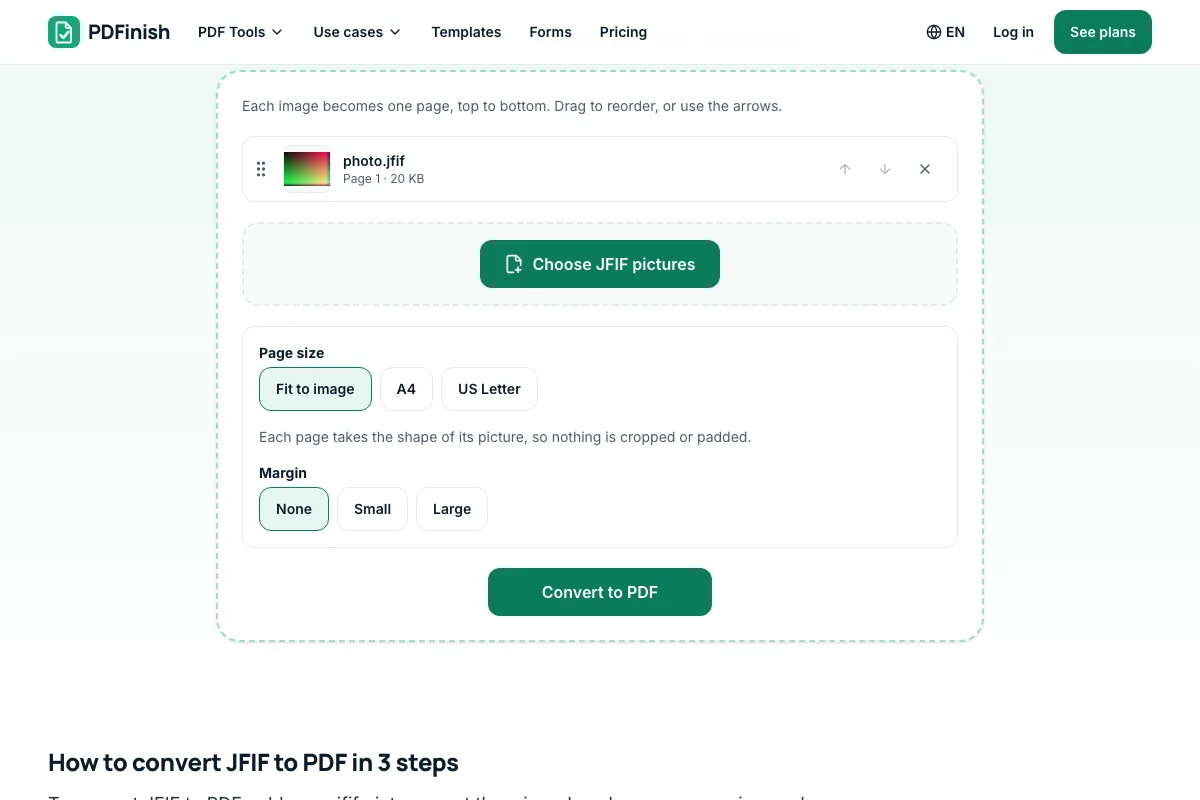
2. Order them and pick a page size
Move them into order and pick a page size.
3. Download your PDF
Save the PDF. Each picture becomes a page.
What you can do in this tool
No second compression
A .jfif file is an ordinary JPEG. It is placed in the PDF exactly as it is, so the picture looks the same.
Any JPEG name
The file is recognised by what is inside it, so .jfif, .jpe, .jpg and .jpeg all work.
Pick a page size
Fit each page to its picture, or use A4 or US Letter with a margin you choose.
Stays on your device
Your pictures are converted in your browser. The file is not sent to our servers.
Works on any device
Runs in your browser on Windows, Mac, iPhone, Android or a Chromebook. Nothing to install.
Good to know
- A .jfif file is an ordinary JPEG. It is placed in the PDF exactly as it is, with no second compression, so the picture looks the same.
- The file is recognised by what is inside it, not by its name, so .jfif, .jpe, .jpg and .jpeg all work and can be mixed in one PDF.
Common questions
What is a JFIF file?
JFIF stands for JPEG File Interchange Format. It is the small wrapper that most JPEG pictures are stored in. A file ending in .jfif holds a normal JPEG picture, and any program that opens JPEG can open it once the name is changed to .jpg.
Why did Windows save my picture as .jfif?
Some Windows setups link the .jfif name to JPEG pictures, so a picture saved from a browser or an email can arrive as .jfif instead of .jpg. The picture inside is the same either way. Only the name differs, and this page ignores the name.
Can I just rename a .jfif file to .jpg?
Yes. Renaming a .jfif to .jpg works because the contents are already a JPEG. It is only needed when a site or app refuses the .jfif name. Here you do not need to rename anything, because the file is checked by its contents.
Does converting JFIF to PDF lose quality?
No. The JPEG inside your .jfif is placed in the PDF as it is, without being compressed again, so it looks the same. Only the page around it is new. Your original .jfif file is not changed in any way.
Can I put several JFIF files in one PDF?
Yes. Add as many pictures as you like and put them in order. Each one becomes its own page. You can mix .jfif files with JPG, PNG, WebP and other pictures in the same PDF.
Is my file uploaded when I use JFIF to PDF?
No. Your pictures are read and placed into the PDF in your browser. The file is not sent to our servers.
Is JFIF to PDF free, and are there limits?
You can use it free. You get 2 free uses in total, no account needed. Free files can be up to 50 MB. Pro has no limit on uses and allows files up to 500 MB. We check the limits before a use starts, so a finished file is never held back.
Can I use JFIF to PDF on a Windows PC?
Yes. Open this page in Chrome or Edge on your PC, add your file and download the result. Nothing to install, and your file stays on your device.
More about this tool
How to convert JFIF to PDF in 3 steps
To convert JFIF to PDF, add your .jfif pictures, put them in order, choose a page size, and download one PDF. A JFIF file is a JPEG with an unusual name, so it goes into the PDF as it is, with no quality lost, and it stays on your device.
- 1
Add your JFIF pictures
Drop .jfif files onto the tool, or choose them from your device. JPG, PNG, WebP, GIF, BMP and TIFF pictures work too, and you can mix them in one PDF.
- 2
Order them and pick a page size
Move the pictures into order. Fit each page to its picture, or use A4 or US Letter with a margin you choose.
- 3
Download your PDF
Save the finished file. Each picture becomes one page.
How do I convert JFIF to PDF?
Add your pictures to JFIF to PDF, drag them into the order you want, choose a page size and download one PDF. Each picture becomes a page. The files are read in your browser and are not sent to our servers, and you do not need to rename them first.
What is the difference between JFIF and JPG?
There is no difference in the picture. JFIF is the container format most JPEG files use, and .jfif is simply a different name for the same kind of file. A .jfif opens wherever a .jpg opens, once it is renamed. Only some older programs look at the name and refuse .jfif.
Why won't my computer open a .jfif file?
Some programs only know the .jpg and .jpeg names and have no app set for .jfif. The picture inside is fine. Rename the file to .jpg, or skip the problem by adding it to JFIF to PDF, which reads the contents and makes a PDF that opens everywhere.
How do I stop Windows saving pictures as .jfif?
Pictures saved from a browser take the name that Windows links to JPEG, and on some PCs that is .jfif. Saving through another browser or choosing the .jpg name in the save box often avoids it. Pictures you already have can be turned into a PDF with this page.
Is it safe to convert JFIF to PDF online?
With JFIF to PDF, your pictures are read and placed into the PDF inside your browser and are not sent to our servers. That makes it a good fit for photos of IDs, receipts, signed pages and other private papers. You can check this in your browser's network tab.
Can I convert JFIF to PDF for free?
Yes. You get 2 free uses in total with no account, and one conversion counts as one use. Free files can be up to 50 MB each. Pro has no limit on uses and allows files up to 500 MB. The limit is checked before the conversion starts.
Can I mix JFIF and JPG files in one PDF?
Yes. Add .jfif, .jpg, .jpeg, PNG and other pictures in any order, and each becomes one page. The page tells the type by the contents, so the names do not matter. A mixed set is handy when some pictures came from a phone and others were saved on a PC.
Does JFIF to PDF work on a phone?
Yes. Open JFIF to PDF in your phone's browser, choose the pictures from your files or camera roll, and download the PDF. It all runs on the phone, so nothing is uploaded. Take a photo also opens the camera for a new picture.
How do I make a JFIF to PDF file smaller?
Run the finished PDF through Compress PDF, which shrinks photo-heavy files the most. Fewer or smaller pictures also give a smaller PDF. Compressing makes a new copy, so your first PDF stays as it was, and your pictures never leave your device.
Can I turn a JFIF into a PNG or JPG instead?
This page makes PDFs. To get a JPG, rename the .jfif to .jpg, since the contents are already a JPEG. To get a PNG, make the PDF here and then use PDF to PNG. Each step runs in your browser and your pictures stay on your device.
Key facts
- Privacy: We don't sell your data. This tool runs in your browser, so your files stay on your device and are never uploaded.
- Ads: none. No third-party ads and no ad cookies.
- Limits: 2 free uses in total, no account needed, and no limit on uses with Pro. Files up to 50 MB free, 500 MB with Pro. Limits are checked before a use starts, never after.
- Price: free to start. Pro is $2.99 a month or $24 a year. Lifetime is $50 for the first 500 founders. Pro cancels in one click.
- Works on: Windows, Mac, iPhone, Android. Nothing to install.
- A .jfif file is an ordinary JPEG. It is placed in the PDF exactly as it is, with no second compression, so the picture looks the same.
- The file is recognised by what is inside it, not by its name, so .jfif, .jpe, .jpg and .jpeg all work and can be mixed in one PDF.
Last updated:
By the PDFinish editorial team · Reviewed
Related toolsConvert
Image to PDF
Turn JPG, PNG, WebP, HEIC and more into a PDF.
JPG to PDF
Turn photos and scans into a single PDF.
PNG to PDF
Turn PNG images and screenshots into a single PDF.
WebP to PDF
Turn WebP images saved from the web into a PDF.
Merge PDF
Combine several PDFs into one file, in the order you choose.
Compress PDF
Shrink a PDF so it is easier to email and upload.