Convert EML to PDF
Add an email saved as .eml and get a PDF.
or drop it here. .eml files. email files up to 50 MB
Your file stays on your device. Nothing is uploaded unless you choose Email it to me.
Have an Outlook .msg file? Use MSG to PDF.
- 2 free uses in total, no account needed
- No ads
- Nothing to install
How it works
1. Add your email
Choose your email from your device, or drop it on the page.
2. Choose how it looks
Pick the formatted or plain text version, a font and a page size.
3. Download your PDF
Save the finished PDF. The header, message and attachment list flow onto as many pages as they need.
What you can do in this tool
Header, message, attachments
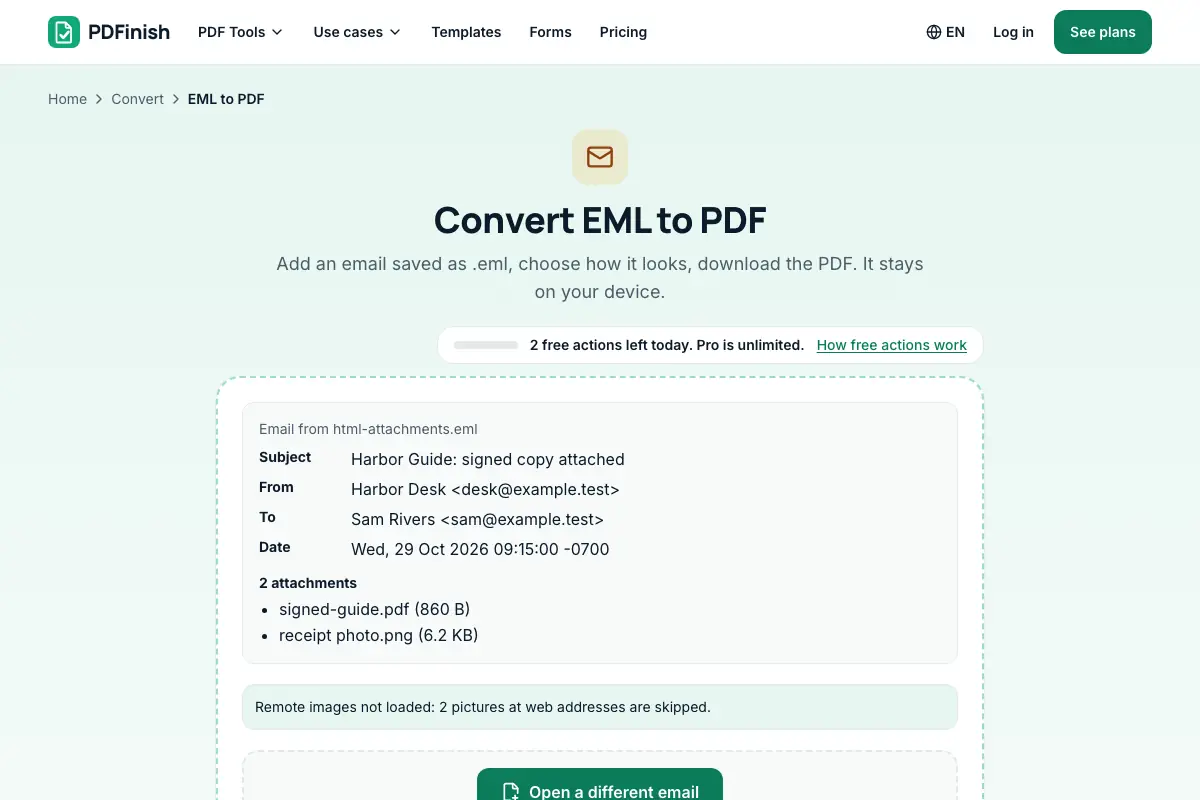
The PDF starts with the subject, From, To, Cc and Date, then the message, then a list of the attachments by name and size.
Attached PDFs and pictures
Tick the box to add attached PDFs and pictures as pages.
You choose the look
Pick the formatted or plain text version, a font, a text size from 9 to 16 points, and A4 or US Letter.
Stays on your device
Your email is read and drawn in your browser. Nothing is uploaded, so the people, subject and text in it stay private.
Tracking pixels blocked
Remote images are never loaded, which also blocks tracking pixels. Styles (CSS) are not applied.
Good to know
- Your email is read and drawn in your browser. Nothing is uploaded, so the people, subject and text in it stay private.
- The PDF starts with the subject, From, To, Cc and Date, then the message, then a list of the attachments by name and size. Attached PDFs and pictures can be added as pages.
- Remote images are never loaded, which also blocks tracking pixels. Styles (CSS) are not applied. For an Outlook .msg file, use MSG to PDF.
Common questions
How do I convert an EML file to PDF?
Add the .eml file to the tool. It shows the subject, sender, date and attachments. Choose the body version, font and page size, then press Convert to PDF. The file downloads from the result screen. The conversion happens in your browser.
What goes into the PDF?
The subject as a heading, then From, To, Cc, Bcc, Reply-To and Date when the email has them, then the message, then a list of attachments by name and size. If you choose, attached PDFs and JPG or PNG pictures follow as extra pages.
Why are some images missing?
Pictures at web addresses are not loaded, on purpose. The tool says remote images not loaded and counts them. Loading them would tell the sender you opened the email, and many are tracking pixels. Pictures built into the email itself are drawn.
Can I convert an Outlook .msg file?
Not here, because Outlook .msg is a different format and this tool reads .eml only. Use MSG to PDF instead: it reads .msg files in your browser and makes the same PDF. If your mail program can save the message as .eml, you can add that file here.
Is the layout the same as in my mail program?
No. We draw the email in a plain, readable layout and do not apply CSS, so colours, custom fonts and columns are not kept. For newsletters, choose the plain text version if the email has one. Letters, receipts and notes come out well.
Is my file uploaded when I use EML to PDF?
No. Your email is read and saved as a PDF in your browser. The file is not sent to our servers.
Is EML to PDF free, and are there limits?
You can use it free. You get 2 free uses in total, no account needed. Free files can be up to 50 MB. Pro has no limit on uses and allows files up to 500 MB. We check the limits before a use starts, so a finished file is never held back.
Can I use EML to PDF on a Windows PC?
Yes. Open this page in Chrome or Edge on your PC, add your file and download the result. Nothing to install, and your file stays on your device.
More about this tool
How to convert an EML email to PDF in 3 steps
To convert EML to PDF, add your .eml file, check the header and attachment list shown, choose the body, font and page size, and download the PDF. The email is read in your browser, so it is not uploaded, remote images are not loaded and no script runs.
- 1
Add your email
Drop a .eml file onto the tool, or choose one from your device. You see the subject, sender, date and attachments before anything is made.
- 2
Choose how it looks
Pick the formatted (HTML) or plain text version when the email has both, a font, a text size from 9 to 16 points, and A4 or US Letter. Tick the box to add attached PDFs and pictures as pages.
- 3
Download your PDF
Save the finished file. The header, message and attachment list flow onto as many pages as they need.
How do I save an email as a PDF?
Save the message from your mail program as a .eml file, then add it to EML to PDF. You get a PDF with the subject, sender, recipients, date, message text and a list of attachments. The email is read in your browser and is not sent to our servers.
How do I convert EML to PDF?
Add your .eml file to EML to PDF, look over the header it shows, choose a font and page size, and press Convert to PDF. The file never leaves your device, and the finished PDF downloads straight away. Each finished conversion is one of your free uses.
How do I open an EML file?
Many mail programs open .eml files when you double-click them, and some browsers show the text. If you just need a copy you can read anywhere, convert it with EML to PDF. The PDF has the header, the message and a list of attachments, and opens on any device.
Can I convert an email with attachments to PDF?
Yes. The PDF lists every attachment by name and size. Tick the option to add attached PDFs and JPG or PNG pictures as extra pages after the email. Other file types, such as Word documents or zip files, are listed but not added. Convert those with their own tool.
How do I save an email as a PDF with its header?
Convert the .eml file with EML to PDF. The PDF begins with the subject, then From, To, Cc, Date and Reply-To when present. Encoded names and subjects, including accents, are decoded. The header is part of the page, so it prints and searches like the text.
Does EML to PDF load images or run scripts?
No. Your email is read as text and drawn, never opened as a live page, so scripts cannot run. Pictures at web addresses are not fetched, so tracking pixels never report that you opened it. Pictures embedded in the email are drawn. The tool tells you how many were skipped.
Is it safe to convert an email to PDF online?
With EML to PDF, your email is read and drawn inside your browser and is not sent to our servers. Emails often hold private details, so this matters. You can check it in your browser's network tab, which shows no upload while you convert the file.
Can I convert EML to PDF for free?
Yes. You get 2 free uses in total with no account, and one finished conversion counts as one use. Free files can be up to 50 MB each. Pro has no limit on uses and allows files up to 500 MB. The limit is checked before you start.
Can I keep several emails in one PDF?
Convert each email on its own, then join the PDFs with Merge PDF, which also runs in your browser. Put them in date order first. You can then add page numbers with Add Page Numbers, which helps when you hand the file to someone.
What if my email is in Word, HTML, text or Outlook format instead?
Use the tool for that format: MSG to PDF for an Outlook .msg message, Word to PDF for a document, HTML to PDF for a saved web page or an HTML email file, and TXT to PDF for plain text. EML to PDF is for messages saved as .eml.
Key facts
- Privacy: We don't sell your data. This tool runs in your browser, so your files stay on your device and are never uploaded.
- Ads: none. No third-party ads and no ad cookies.
- Limits: 2 free uses in total, no account needed, and no limit on uses with Pro. Files up to 50 MB free, 500 MB with Pro. Limits are checked before a use starts, never after.
- Price: free to start. Pro is $2.99 a month or $24 a year. Lifetime is $50 for the first 500 founders. Pro cancels in one click.
- Works on: Windows, Mac, iPhone, Android. Nothing to install.
- Your email is read and drawn in your browser. Nothing is uploaded, so the people, subject and text in it stay private.
- The PDF starts with the subject, From, To, Cc and Date, then the message, then a list of the attachments by name and size. Attached PDFs and pictures can be added as pages.
- Remote images are never loaded, which also blocks tracking pixels. Styles (CSS) are not applied. For an Outlook .msg file, use MSG to PDF.
Last updated:
By the PDFinish editorial team · Reviewed
Related toolsConvert
MSG to PDF
Turn an Outlook .msg email into a PDF, with its attachments.
HTML to PDF
Turn an HTML file, a zip, or pasted HTML into a PDF.
TXT to PDF
Turn a plain text file, or text you paste, into a PDF.
Word to PDF
Convert a Word document into a PDF.
Merge PDF
Combine several PDFs into one file, in the order you choose.