Extract text from a PDF
Add your PDF, copy the text or download it as a .txt file.
or drop it here. PDF files up to 50 MB
Your file stays on your device. Nothing is uploaded unless you choose Email it to me.
- 2 free uses in total, no account needed
- No ads
- Nothing to install
How it works
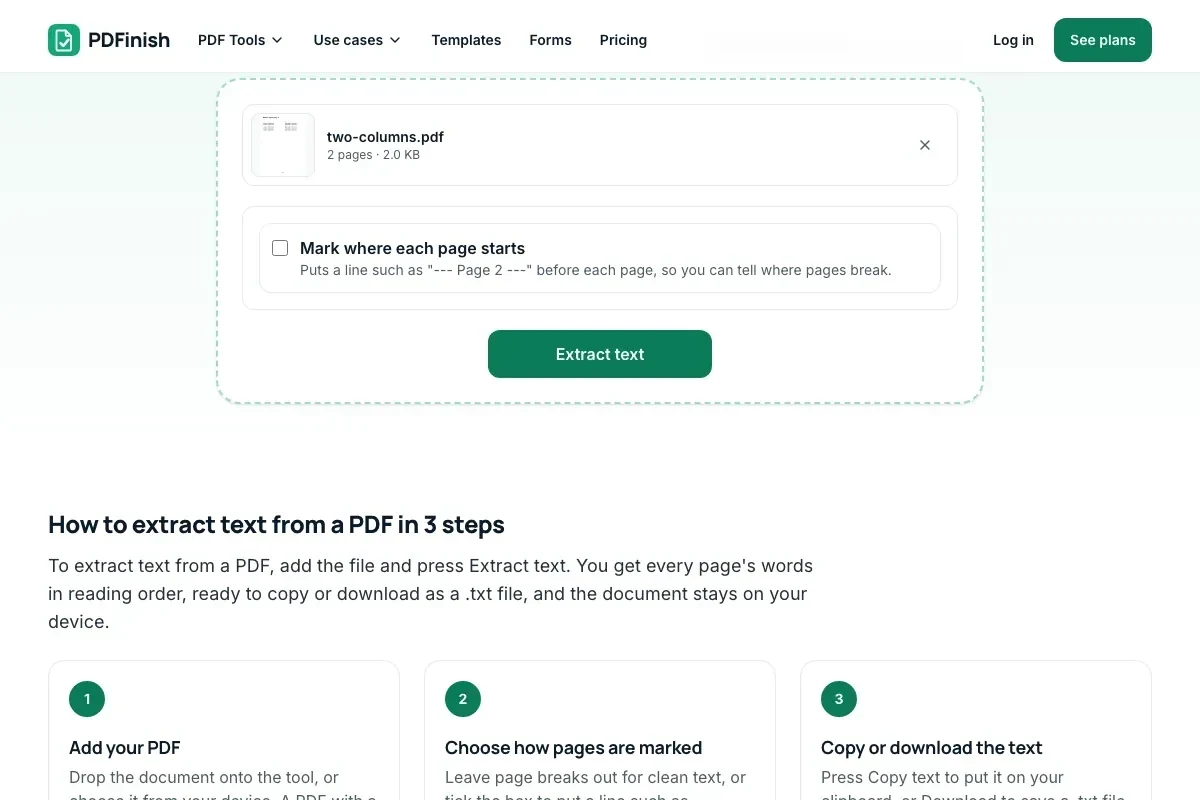
1. Add your PDF
Choose your PDF from your device or drop it on the page.
2. Choose how pages are marked
Choose whether pages are marked with a line such as --- Page 2 ---.
3. Copy or download the text
Press Copy text, or Download to save a .txt file.
What you can do in this tool
Reading order
Columns are read one after the other, and lines top to bottom, so the words come out in order.
Page breaks your way
Page breaks can be marked with a line such as --- Page 2 ---, or left out.
Scans are flagged
Pages that are pictures have no text to copy. We tell you which pages, and OCR PDF can read them.
Stays on your device
Your PDF is read and converted in your browser. The file is not sent to our servers.
Works on any device
Runs in your browser on Windows, Mac, iPhone, Android or a Chromebook. Nothing to install.
Good to know
- Columns are read one after the other, left to right, and lines top to bottom, so the words come out in the order a person reads them.
- Page breaks can be marked with a line such as --- Page 2 ---, or left out.
- Pages that are pictures, such as scans, have no text to copy. We tell you which pages, and OCR PDF can read them.
Common questions
How do I extract text from a PDF?
Add the PDF and press Extract text. The words of every page appear in a box, and you can copy them or download them as a .txt file. Nothing is sent anywhere.
Will the text come out in the right order?
For most documents, yes. Text in two or more columns is read one column at a time, and a heading across the top is read first. Tables are harder: a table with wide gaps between its columns can come out column by column instead of row by row.
Why did it say a page has no text?
That page is a picture, such as a scan or a photo of a page, so it holds no words to copy. Press Read it with OCR PDF to turn the picture into text. OCR reads English.
Can I get the page breaks?
Yes. Tick Mark where each page starts and each page begins under a line such as --- Page 2 ---. Leave it off for clean text.
Does it keep bold, fonts and layout?
No. You get plain text: the words, line breaks and blank lines between paragraphs. If you need the layout, keep the PDF or use PDF to Word.
Is my file uploaded when I use PDF to Text?
No. The words are read from your file in your browser. The file is not sent to our servers.
Is PDF to Text free, and are there limits?
You can use it free. You get 2 free uses in total, no account needed. Free files can be up to 50 MB. Pro has no limit on uses and allows files up to 500 MB. We check the limits before a use starts, so a finished file is never held back.
Can I use PDF to Text on a Windows PC?
Yes. Open this page in Chrome or Edge on your PC, add your file and download the result. Nothing to install, and your file stays on your device.
More about this tool
How to extract text from a PDF in 3 steps
To extract text from a PDF, add the file and press Extract text. You get every page's words in reading order, ready to copy or download as a .txt file, and the document stays on your device.
- 1
Add your PDF
Drop the document onto the tool, or choose it from your device. A PDF with a password needs to be unlocked first.
- 2
Choose how pages are marked
Leave page breaks out for clean text, or tick the box to put a line such as --- Page 2 --- before each page.
- 3
Copy or download the text
Press Copy text to put it on your clipboard, or Download to save a .txt file. If some pages are scans, the result tells you which ones.
Key facts
- Privacy: We don't sell your data. This tool runs in your browser, so your files stay on your device and are never uploaded.
- Ads: none. No third-party ads and no ad cookies.
- Limits: 2 free uses in total, no account needed, and no limit on uses with Pro. Files up to 50 MB free, 500 MB with Pro. Limits are checked before a use starts, never after.
- Price: free to start. Pro is $2.99 a month or $24 a year. Lifetime is $50 for the first 500 founders. Pro cancels in one click.
- Works on: Windows, Mac, iPhone, Android. Nothing to install.
- Columns are read one after the other, left to right, and lines top to bottom, so the words come out in the order a person reads them.
- Page breaks can be marked with a line such as --- Page 2 ---, or left out.
- Pages that are pictures, such as scans, have no text to copy. We tell you which pages, and OCR PDF can read them.
Last updated:
By the PDFinish editorial team · Reviewed
Related toolsConvert
OCR PDF
Make scanned pages searchable and selectable.
PDF to Word
Convert a PDF into an editable Word document.
TXT to PDF
Turn a plain text file, or text you paste, into a PDF.
HTML to PDF
Turn an HTML file, a zip, or pasted HTML into a PDF.
Markdown to PDF
Turn a Markdown file or pasted Markdown into a clean PDF.
Extract Images
Save every picture inside a PDF at full quality.
PDF Compare
See every word added, removed or changed.
Image to Text
Pull the text out of a photo or screenshot.
PDF to CSV
Pull tables out of a PDF into CSV files.
PDF to Markdown
Turn a PDF into Markdown with headings, lists and tables.
PDF to HTML
Turn a PDF into one clean HTML file.
PDF to EPUB
Turn a PDF into an EPUB e-book.