Convert RTF to PDF
Add your RTF file and get a PDF back in seconds.
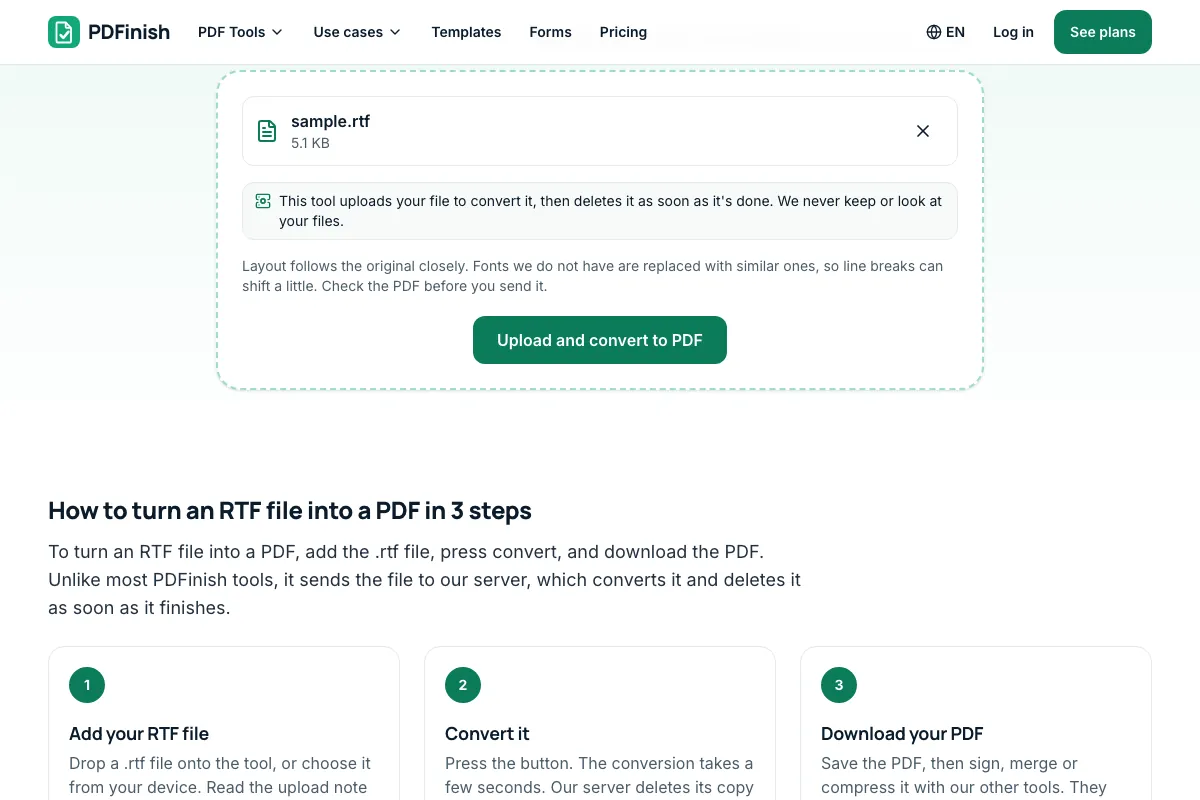
This tool uploads your file to convert it, then deletes it as soon as it's done. We never keep or look at your files.
or drop it here. .rtf. RTF documents up to 50 MB
Your file is uploaded to our server to convert it, and deleted as soon as the conversion finishes.
- 2 free uses in total, no account needed
- No ads
- Nothing to install
How it works
1. Add your RTF file
Choose your .rtf file from your device or drop it on the page.
2. Convert it
Press the button. The conversion takes a few seconds.
3. Download your PDF
Save the PDF, then sign, merge or compress it with our other tools.
What you can do in this tool
Fonts, tables and pictures
Fonts, bold, italic, lists, tables and pictures saved in the file carry over.
Rich Text Format files
Accepts .rtf files up to 50 MB. A file that only has the .rtf ending but holds other data is refused.
Deleted when done
The file is deleted when the conversion ends, whether it works or fails.
Links are not fetched
Links inside the file are not fetched, so a document cannot make our server reach out.
Works on any device
Works in the browser on a phone or tablet, as long as you are online.
Good to know
- Accepts .rtf (Rich Text Format) files up to 50 MB. Fonts, bold, italic, lists, tables and pictures saved in the file carry over.
- The file is uploaded to our server over an encrypted connection and deleted when the conversion ends, whether it works or fails.
- Links inside the file are not fetched, so a document cannot make our server reach out.
Common questions
Is my file uploaded when I use RTF to PDF?
Yes. Turning an Office file into a PDF needs more than a browser can do, so the file goes to our server over an encrypted connection. It is converted there and deleted as soon as the conversion finishes, whether it works or fails. We do not keep copies, read your files or use them for anything else. Our PDF tools that only work on PDFs, such as merge, split and sign, still run in your browser.
How closely does the PDF match my RTF file?
Very closely for most files. Text, fonts, tables and saved pictures carry over. If the file uses a font we do not have, a similar font is used, so a line can break in a slightly different place. Check the PDF before you send it.
Which files can I convert with RTF to PDF?
Files ending in .rtf, up to 50 MB. For a Word file (.docx or .doc) use Word to PDF, and for an OpenDocument file (.odt) use ODT to PDF. A file that only has the .rtf ending but holds other data is refused.
Do links or macros in my RTF file run?
No. The converter does not run code from a document, and it does not fetch pictures or content from web addresses inside it. Pictures that are only linked, not saved in the file, will not appear.
Can I use RTF to PDF on my phone?
Yes. It works in the browser on a phone or tablet, as long as you are online, because the conversion happens on our server.
Is RTF to PDF free, and are there limits?
You can use it free. A conversion is one use. You get 2 free uses in total, no account needed, and there is no limit on uses with Pro. Files can be up to 50 MB. The limit is checked before the file is sent, and a conversion that fails is not counted.
Can I use RTF to PDF on a Windows PC?
Yes. Open this page in Chrome or Edge on your PC, add your file and download the result. Nothing to install. This tool sends your file to our server to convert it and deletes it as soon as the conversion finishes.
More about this tool
How to turn an RTF file into a PDF in 3 steps
To turn an RTF file into a PDF, add the .rtf file, press convert, and download the PDF. Unlike most PDFinish tools, it sends the file to our server, which converts it and deletes it as soon as it finishes.
- 1
Add your RTF file
Drop a .rtf file onto the tool, or choose it from your device. Read the upload note first: the file is sent to our server.
- 2
Convert it
Press the button. The conversion takes a few seconds. Our server deletes its copy as soon as it finishes.
- 3
Download your PDF
Save the PDF, then sign, merge or compress it with our other tools. They work in your browser.
How do I convert an RTF file to PDF?
Add your .rtf file to RTF to PDF, press the convert button, and download the PDF. The file is sent to our server over an encrypted connection, converted in a few seconds, and deleted as soon as the conversion ends. Fonts, tables and pictures saved in the file carry over.
What is an RTF file?
RTF stands for Rich Text Format, a plain-text file type that stores bold, italic, fonts, lists, tables and pictures so different word processors can open the same document. Most programs can save a file as .rtf. A PDF is better for sharing because it looks the same on every device.
Is it safe to convert RTF to PDF online?
With RTF to PDF, your file goes to our server over an encrypted connection and is deleted as soon as the conversion ends, even if it fails. We do not keep copies or read your files. The converter turns off macros and does not fetch anything from addresses inside your document.
Will the PDF keep my fonts, bold text and tables?
Yes, for the most part. Bold, italic, underline, font sizes, colours, lists, tables and pictures saved inside the file all carry over. If your file uses a font our server does not have, a similar font stands in, so a line can wrap in a slightly different place.
Can I convert an RTF file to PDF without Word?
Yes. You do not need Word or any other program installed. Add the .rtf file to RTF to PDF in your browser, and our server does the conversion. It works the same on Windows, Mac, Linux, a phone or a tablet, because nothing needs to be installed.
Is the text in the PDF selectable?
Yes. The words stay real text, not a picture of text, so you can select, copy and search them in any PDF reader. If you want the words back in an editable file later, PDF to Word turns the PDF into a .docx file in your browser.
Can I convert RTF to PDF for free?
Yes. You get 2 free uses in total with no account, and one conversion counts as one use. Files can be up to 50 MB. Pro has no limit on uses. The limit is checked before the file is sent, and a conversion that fails is not counted.
What if my RTF file will not convert?
Check that the file really is an .rtf file and not a renamed .docx or .txt, because we refuse files whose contents do not match their ending. A damaged file or one over 50 MB also fails. Nothing is counted when a conversion fails, so you can try again.
Can I convert a Word file or an ODT file instead?
Yes. Use Word to PDF for .docx and .doc files, and ODT to PDF for OpenDocument text files made in LibreOffice or OpenOffice. All three tools work the same way: the file is uploaded, converted and deleted, and you download a PDF.
Can I sign or compress the PDF afterwards?
Yes, as a second step. Download the PDF, then open it in Sign PDF to add your signature, or in Compress PDF to make it smaller for email. Both run in your browser, so the finished PDF is not uploaded again.
Key facts
- Privacy: We don't sell your data. This tool uploads your file to our server to convert it, and deletes it as soon as the conversion finishes.
- Ads: none. No third-party ads and no ad cookies.
- Limits: files up to 50 MB. 2 free uses in total, no account needed, and no limit on uses with Pro. Limits are checked before a use starts, never after.
- Price: free to start. Pro is $2.99 a month or $24 a year. Lifetime is $50 for the first 500 founders. Pro cancels in one click.
- Works on: Windows, Mac, iPhone, Android. Nothing to install.
- Accepts .rtf (Rich Text Format) files up to 50 MB. Fonts, bold, italic, lists, tables and pictures saved in the file carry over.
- The file is uploaded to our server over an encrypted connection and deleted when the conversion ends, whether it works or fails.
- Links inside the file are not fetched, so a document cannot make our server reach out.
Last updated:
By the PDFinish editorial team · Reviewed
Where your file is processed
| Tool | Where it runs | Uploaded? |
|---|---|---|
| RTF to PDF | Our converter server | Yes, deleted when done |
| Merge PDF, Compress PDF, Sign PDF | Your browser | No |
Related toolsConvert
Word to PDF
Convert a Word document into a PDF.
ODT to PDF
Convert an OpenDocument text file into a PDF.
TXT to PDF
Turn a plain text file, or text you paste, into a PDF.
Sign PDF
Draw or type your signature and place it on the page.
Compress PDF
Shrink a PDF so it is easier to email and upload.
Merge PDF
Combine several PDFs into one file, in the order you choose.