Convert PDF to CSV
Add your PDF and get its tables as CSV files.
or drop it here. PDF files up to 50 MB
Your file stays on your device. Nothing is uploaded unless you choose Email it to me.
- 2 free uses in total, no account needed
- No ads
- Nothing to install
How it works
1. Add your PDF
Choose your PDF from your device or drop it on the page.
2. Choose the text encoding
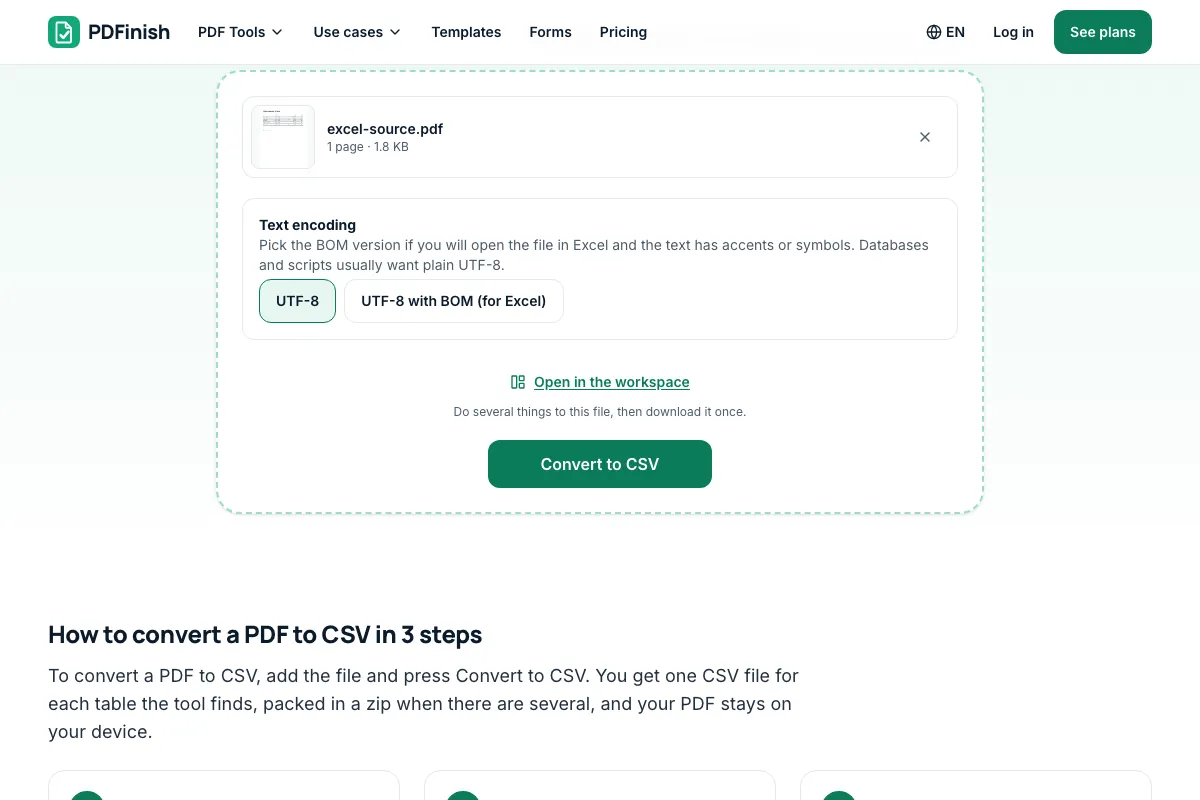
Choose plain UTF-8, or UTF-8 with BOM for Excel, then press Convert to CSV.
3. Download and check it
Save the CSV, or the zip when there are several tables, and check the columns.
What you can do in this tool
One file per table
Each table becomes its own CSV file, named by its page. Several tables are packed in one zip.
Plain UTF-8, or BOM for Excel
Turn on the BOM option if you will open the file in Excel and the text has accents or symbols.
Ready for scripts
Numbers are plain numbers and dates become year-month-day, so databases and scripts can read them.
Stays on your device
Your PDF is read and converted in your browser. The file is not sent to our servers.
Works on any device
Runs in your browser on Windows, Mac, iPhone, Android or a Chromebook. Nothing to install.
Good to know
- Each table the tool finds becomes its own CSV file, named by its page. A table that carries on to the next page is joined into one file. Several tables are packed in one zip.
- The file is UTF-8 with commas between columns and one table row on each line. Turn on the BOM option if you will open it in Excel and the text has accents or symbols.
- Numbers are written as plain numbers without thousands commas or currency signs, a percentage keeps its % sign, and dates become year-month-day, so databases and scripts can read them.
- A table is found from its drawn lines or from rows of text that line up in columns. Merged cells and tables with fewer than three rows may need tidying. A scanned page has no text to read.
Common questions
How do I convert a PDF to CSV for free?
Add the PDF to PDF to CSV and press Convert to CSV, then download the file. It is a standard UTF-8 CSV that opens in Excel, Google Sheets, Numbers and any text editor. You can use it free with 2 free uses in total and no sign-up, and your file is not uploaded.
What is the difference between PDF to CSV and PDF to Excel?
A CSV is plain text with commas between columns, so every database, script and import tool can read it, but it holds one table and no formatting. PDF to Excel writes an .xlsx file with one sheet for each table. Pick CSV for imports and Excel for working in a spreadsheet.
Why do accents look wrong when I open the CSV in Excel?
Excel assumes older text encoding unless the file starts with a byte-order mark. Run the conversion again with UTF-8 with BOM (for Excel) chosen, and accents, symbols and non-English letters show correctly. Keep plain UTF-8 for databases and scripts, which can be confused by the mark.
Why was my table not found, or split in the wrong places?
We find a table from its drawn lines, or from rows of text that line up in columns and have at least three rows. Merged cells, a column with no gap before the next one, or a cell that wraps onto a second line can come out in the wrong columns. The text is still in the file for you to tidy.
Why is my converted file empty, or missing a table?
A scanned page or a photo of a page holds a picture of words, not the words themselves, so there is nothing to read. Run it through OCR PDF first, which reads English, then convert the result. Text turned sideways on the page is also left out.
Is my file uploaded when I use PDF to CSV?
No. The pages are read and the CSV files are written in your browser. The file is not sent to our servers.
Is PDF to CSV free, and are there limits?
You can use it free. You get 2 free uses in total, no account needed. Free files can be up to 50 MB. Pro has no limit on uses and allows files up to 500 MB. We check the limits before a use starts, so a finished file is never held back.
Can I use PDF to CSV on a Windows PC?
Yes. Open this page in Chrome or Edge on your PC, add your file and download the result. Nothing to install, and your file stays on your device.
More about this tool
How to convert a PDF to CSV in 3 steps
To convert a PDF to CSV, add the file and press Convert to CSV. You get one CSV file for each table the tool finds, packed in a zip when there are several, and your PDF stays on your device.
- 1
Add your PDF
Drop the file onto the tool, or choose it from your device. A PDF with a password needs to be unlocked first.
- 2
Choose the text encoding
Leave plain UTF-8 for databases and scripts, or pick UTF-8 with BOM if you will open the file in Excel. Then press Convert to CSV.
- 3
Download and check it
Save the CSV, or the zip when there are several tables. Open it in Excel, Google Sheets, Numbers or a text editor and look over the columns before you rely on the numbers.
How do I convert a PDF to a CSV file?
Add your PDF to PDF to CSV, press Convert to CSV, and download the result. The tool reads each page in your browser, finds the tables, and writes one CSV for each. When there is more than one table you get a zip. Your PDF is never uploaded.
What is a CSV file?
CSV stands for comma-separated values, a plain text file where each line is a table row and commas separate the columns. Almost every spreadsheet, database and accounting app can import it. It holds only values, so there are no colours, fonts, formulas or several sheets like in an Excel file.
Can I convert a PDF table to CSV?
Yes. PDF to CSV finds tables from drawn lines or from rows of text that line up in columns, then writes each as its own CSV. Check the columns afterwards. Merged cells, wrapped lines and tables with fewer than three rows are the usual places where a table needs tidying.
Is it safe to convert PDF to CSV online?
With PDF to CSV your file never leaves your device. The pages are read and the CSV is written inside your browser tab, so nothing is sent to our servers and there is nothing for us to delete. That matters for bank statements, invoices and payroll lists.
Will my numbers and dates come out right?
Numbers are written as plain numbers, so 1,234.50 becomes 1234.50 and (12.00) becomes -12.00. A percentage keeps its % sign. Dates become year-month-day only when the order is clear, so 04/05/2026 stays as written. Codes with a leading zero, such as a zip code, stay text.
How do I open a CSV file in Excel?
Double-click the CSV, or open Excel and choose File, then Open. If accents or symbols look wrong, convert again with UTF-8 with BOM chosen. Excel may show long numbers in scientific notation or drop a leading zero, so format those columns as text or import with Data, then From Text.
Can I get one CSV with all the tables?
Not in one file. A CSV holds a single table, so each table gets its own file, named by its page, and several files come in a zip. A table that runs over two pages with the same columns is joined into one file. PDF to Excel keeps all tables in one workbook.
Can I convert a scanned PDF to CSV?
Not directly. A scan is a picture of a page, so it has no text for the tool to read. Run it through OCR PDF first to make the text selectable, then convert the result to CSV. Check the numbers afterwards, since reading a scan can misread digits.
Can I convert PDF to CSV for free?
Yes. You get 2 free uses in total with no account, and one finished conversion counts as one use, however many tables it finds. Free files can be up to 50 MB. Pro has no limit on uses. The limit is checked before the conversion starts.
Can I convert a PDF to CSV without Excel?
Yes. You do not need Excel or any other program installed. Add the PDF to PDF to CSV in your browser and download the files. A CSV opens in Google Sheets, Numbers, LibreOffice or any text editor. It works the same on Windows, Mac, Linux, a phone or a tablet.
Key facts
- Privacy: We don't sell your data. This tool runs in your browser, so your files stay on your device and are never uploaded.
- Ads: none. No third-party ads and no ad cookies.
- Limits: 2 free uses in total, no account needed, and no limit on uses with Pro. Files up to 50 MB free, 500 MB with Pro. Limits are checked before a use starts, never after.
- Price: free to start. Pro is $2.99 a month or $24 a year. Lifetime is $50 for the first 500 founders. Pro cancels in one click.
- Works on: Windows, Mac, iPhone, Android. Nothing to install.
- Each table the tool finds becomes its own CSV file, named by its page. A table that carries on to the next page is joined into one file. Several tables are packed in one zip.
- The file is UTF-8 with commas between columns and one table row on each line. Turn on the BOM option if you will open it in Excel and the text has accents or symbols.
- Numbers are written as plain numbers without thousands commas or currency signs, a percentage keeps its % sign, and dates become year-month-day, so databases and scripts can read them.
- A table is found from its drawn lines or from rows of text that line up in columns. Merged cells and tables with fewer than three rows may need tidying. A scanned page has no text to read.
Last updated:
By the PDFinish editorial team · Reviewed
PDF to CSV or PDF to Excel?
| Tool | You get | Best for |
|---|---|---|
| PDF to CSV | Plain CSV text files, one per table | Databases, scripts, imports and apps that read CSV |
| PDF to Excel | One .xlsx file, one sheet per table | Adding up, sorting and formatting in a spreadsheet |
Related toolsConvert
PDF to Excel
Pull tables out of a PDF into an Excel sheet.
OCR PDF
Make scanned pages searchable and selectable.
PDF to Text
Pull the text out of a PDF to copy or save as .txt.
Excel to PDF
Save a spreadsheet as a PDF.
PDF to Word
Convert a PDF into an editable Word document.
Extract Pages from PDF
Keep only the pages you pick and save them as a new PDF.
CSV to PDF
Turn a CSV file into a tidy PDF table.