Fill and sign a PDF
Fill in your form, sign it and send it back from any device.
or drop it here. PDF files up to 50 MB
Your file stays on your device. Nothing is uploaded unless you choose Email it to me.
- Open
- Fill
- Sign
- Lock
- Shrink
- Save
Your file stays on your device. Every step is optional and you can undo it.
- 2 free uses in total, no account needed
- No ads
- Nothing to install
How it works
1. Add your form
Choose your form from your device or drop it on the page.
2. Fill it in and sign
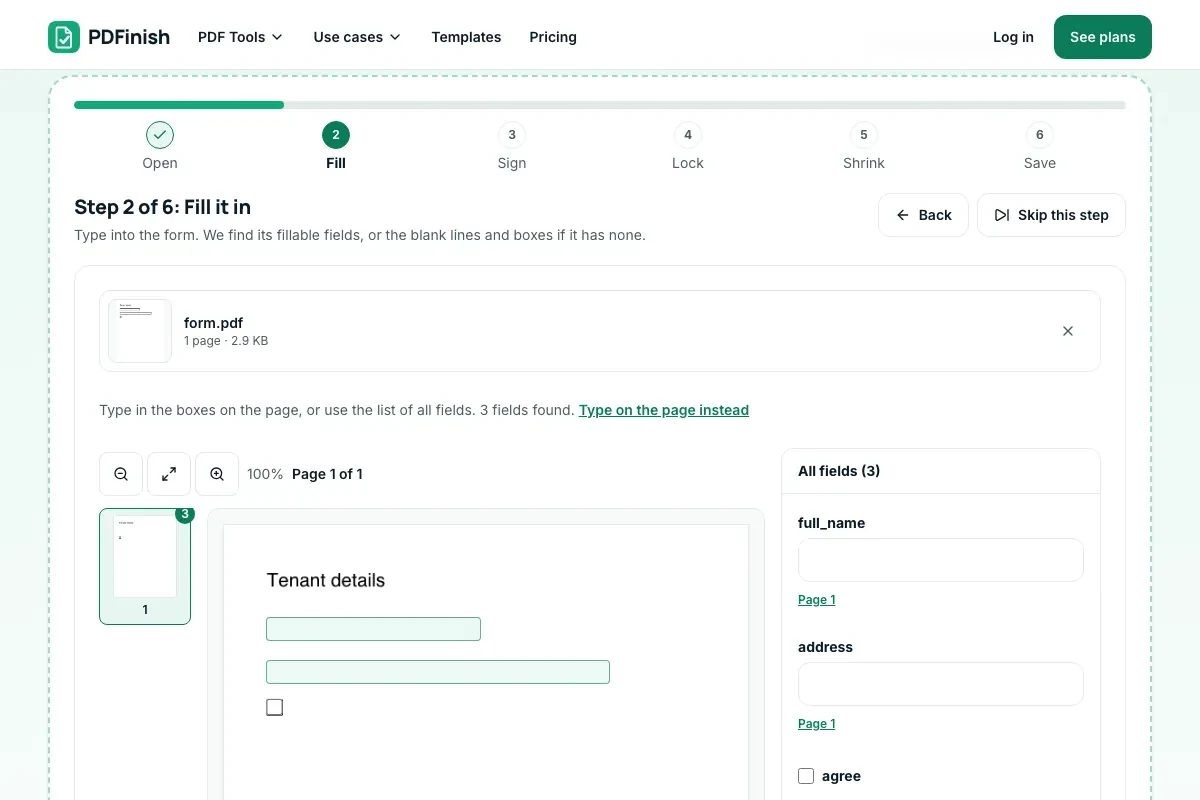
Type on the blanks, tick the boxes you want, then sign and date.
3. Share or email it
Share or email the finished PDF, or download it.
What you can do in this tool
Plain forms work
A form without fillable fields works. We find its blank lines and boxes for you.
Packets by page
A packet lists the pages that need filling, so you can jump to them and send only those.
Signature and date
Add your signature and the date, or place text and check marks anywhere on the page.
Straight to your email app
Share or email opens your phone's share sheet with the PDF attached.
No printer needed
Works from a phone or computer, with nothing to install.
Good to know
- Your signature is a picture of your signature placed on the page. It is not a certificate-based digital signature.
- Share or email hands the file from your device to the app you pick, never through our servers.
- Keep a copy, and keep the sent email or message so you can show when you sent it.
Common questions
Can I fill a PDF that isn't fillable?
Yes. If the PDF has no fillable fields, we find the blank lines and boxes on each page and let you type on them and tick them. You can also place text, check marks and a signature anywhere on the page.
Can I check and uncheck a box in a PDF?
Yes. To check a box in a PDF, tap or click it. Tap or click the box to add a checkmark to a PDF form, and tap it again to take the mark off. You can switch between a check, an X and a dot. Boxes under a "choose one" question work like radio buttons, so picking one clears the others. Make changes before you download, because the marks become part of the saved page.
Is my form uploaded?
No. Filling, signing and saving all happen in your browser, and sharing hands the file from your device to the app you choose. Our servers never see your form, your answers or your signature.
Can I email a signed PDF from my phone?
Yes. When you finish, press Share or email. On a phone, Mail, Gmail, Outlook or Messages opens with the PDF attached. If your browser cannot attach files, the PDF downloads and we show how to attach it from your Downloads or Files folder.
Is an electronic signature accepted?
That depends on who asked for the form, so ask them. Your signature here is a picture of your signature on the page, not a certificate-based digital signature. Some forms are happy with it, and some need a particular method.
Is my file uploaded when I use Fill and Sign PDF?
No. Filling, signing and saving all run in your browser, and so does the calendar reminder. The file is not sent to our servers.
Is Fill and Sign PDF free, and are there limits?
You can use it free. You get 2 free uses in total, no account needed. Free files can be up to 50 MB. Pro has no limit on uses and allows files up to 500 MB. We check the limits before a use starts, so a finished file is never held back.
Can I use Fill and Sign PDF on a Windows PC?
Yes. Open this page in Chrome or Edge on your PC, add your file and download the result. Nothing to install, and your file stays on your device.
More about this tool
How to fill and sign a PDF in 3 steps
To fill out a PDF form and sign it online, add the form, type on its blanks, tick the boxes you choose, add your signature and the date, then share or email the finished file. Your PDF stays on your device the whole time, so it works from a phone without a printer.
- 1
Add your form
Drop the PDF onto the tool, or choose it from your device. A plain form with no fillable fields, a packet of several pages and a scan all work.
- 2
Fill it in and sign
Type on the blank lines, tick the boxes you want, and add your signature and the date. A packet shows which pages need filling. Skip the Lock and Shrink steps unless you need them.
- 3
Share or email it
Pick the whole document or only the pages you filled, then press Share or email. Your phone's share sheet opens with the PDF attached. If your browser cannot share files, the PDF downloads and you attach it to an email yourself.
Key facts
- Privacy: We don't sell your data. This tool runs in your browser, so your files stay on your device and are never uploaded.
- Ads: none. No third-party ads and no ad cookies.
- Limits: 2 free uses in total, no account needed, and no limit on uses with Pro. Files up to 50 MB free, 500 MB with Pro. Limits are checked before a use starts, never after.
- Price: free to start. Pro is $2.99 a month or $24 a year. Lifetime is $50 for the first 500 founders. Pro cancels in one click.
- Works on: Windows, Mac, iPhone, Android. Nothing to install.
- A form without fillable fields works. We find its blank lines and boxes, and you can also place text, check marks and a signature anywhere on the page.
- A packet lists the pages that need filling (for example, Pages 8 to 10) so you can jump straight to them, and you can send back only those pages or the whole document.
- Share or email opens your phone's share sheet with the PDF attached, so Mail, Gmail, Outlook or Messages can send it. The file goes from your device to the app you pick, never through our servers. A browser that cannot share files downloads it instead.
- The saved file is named with the date, such as lease-signed-2026-10-26.pdf. Keep a copy, and keep the sent email or message so you can show when you sent it.
- You can add a calendar reminder for a date you type. We never work out deadlines for you.
- Your signature is a picture of your signature placed on the page. It is not a certificate-based digital signature.
Last updated:
By the PDFinish editorial team · Reviewed
Guides
- How to fill out and sign a COBRA election form without a printer
- How to fill and sign a PDF on your phone or computer
- Is a signature on an iPad legally binding?
- Can a parent sign a waiver for a child?
- Can a company require visitors to sign an NDA?
- Do I need a photo release for event photos?
- Are liability waivers enforceable?
- How to fill out and sign a PDF on iPhone
- W-9 for an LLC: which box to check
- Why is my tenant asking me for a W-9?
- I-9 acceptable documents: List A, B and C
- COBRA election forms: what each company says, and how to fill out and sign a PDF form
Related toolsEdit
Fill PDF
Fill any PDF form: type, tick, sign and date.
Sign PDF
Draw or type your signature and place it on the page.
Finish PDF
Fill, sign, lock and shrink a PDF in one guided flow, then save it.
PDF Editor
Change a line of text, or add text, shapes and images.
Password Protect PDF
Add a password so only people you trust can open the file.