Freelance invoice
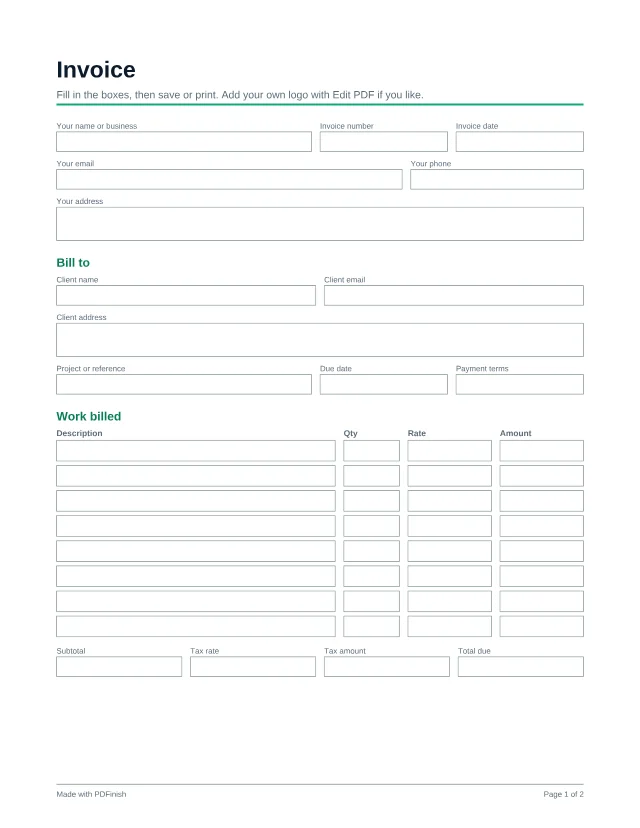
This free fillable invoice has room for your details, your client, eight line items, tax and a total. Type into the boxes, save, and send it as a PDF.
3 free templates with a free account; every template with Pro.
Popular with freelancers. See PDF tools and templates for freelancers.
What this template is for
- Billing a client for a finished project
- Sending a monthly retainer invoice
- A simple first invoice when you do not use accounting software
What is included
50 fillable fields, on US Letter paper.
Details
- Your name or business
- Invoice number
- Invoice date
- Your email
- Your phone
- Your address
Bill to
- Client name
- Client email
- Client address
- Project or reference
- Due date
- Payment terms
Work billed
- 8 rows of: Description, Qty, Rate, Amount
- Subtotal
- Tax rate
- Tax amount
- Total due
How to pay
- Payment instructions
- Notes
How to use it in 3 steps
Open it
Choose Use this template and sign in with your email. The template opens straight in our Fill PDF tool, with no download needed. You can also download the PDF and open it in any PDF reader.
Type into the boxes
Click a box and type, or tick a checkbox. The totals are boxes you fill in yourself, so check your sums before you send.
Sign and save
Save the finished file. To sign it, open it in Sign PDF, or print it and sign by hand. Your file stays on your device the whole time.
Questions about this template
Does the invoice add up the totals for me?
No. The amount, subtotal and total boxes are plain text boxes, so you type the numbers. Use a calculator and check them before you send.
Can I add more than eight line items?
Not on this page. For a longer invoice, fill it twice and combine the files with Merge PDF.
Can I add my logo?
Open the filled file in Edit PDF and place an image or text at the top.
Is this template free?
Yes, with a free account. A free account is just an email address and no card, and it includes 3 different templates, counted in total rather than per month. Pro, Lifetime and Team unlock every template.
What happens after my free templates?
A template you have already used stays yours to open again. For a new one, Pro unlocks every template, plus unlimited tasks.
Does PDFinish see what I type?
No. The template opens and fills in your browser, and the file stays on your device. We never upload it.
More templates
- Project quote or estimate
Price a job before you start: scope, line items and an acceptance box.
- Simple freelance services agreement
A plain-language agreement for one client and one project.
- Independent contractor agreement
For a business hiring a contractor on a longer or ongoing basis.