Rent increase notice
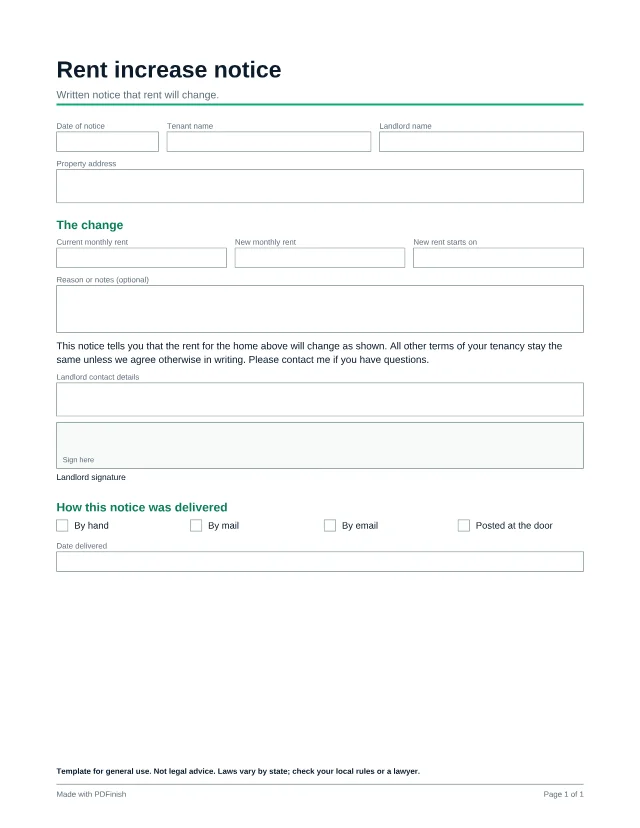
This free fillable rent increase notice tells a tenant the current rent, the new rent and the date it starts. Fill it in, sign it, and record how and when you delivered it.
3 free templates with a free account; every template with Pro.
Popular with landlords. See PDF tools and templates for landlords.
Template for general use. Not legal advice. Laws vary by state; check your local rules or a lawyer.
Wording last reviewed by the PDFinish team on . This is not a review by a lawyer.
What this template is for
- Raising rent at the end of a lease term
- Giving a tenant written notice of a change
- Keeping a record of the date and method of delivery
What is included
14 fillable fields and 1 signature area, on US Letter paper.
Details
- Date of notice
- Tenant name
- Landlord name
- Property address
The change
- Current monthly rent
- New monthly rent
- New rent starts on
- Reason or notes (optional)
- Landlord contact details
How this notice was delivered
- By hand
- By mail
- By email
- Posted at the door
- Date delivered
How to use it in 3 steps
Open it
Choose Use this template and sign in with your email. The template opens straight in our Fill PDF tool, with no download needed. You can also download the PDF and open it in any PDF reader.
Type into the boxes
Click a box and type, or tick a checkbox. Many places set how much notice you must give and how much rent may rise. Work out the dates before you fill this in.
Sign and save
Save the finished file. To sign it, open it in Sign PDF, or print it and sign by hand. Your file stays on your device the whole time.
Questions about this template
How much notice do I need to give?
That depends on where the home is and on your lease. This form does not decide that for you. Check your local rules or ask a lawyer.
Can any rent increase be put in a notice?
Some places cap increases or require specific wording. Check your local rules before you send a notice.
Is this template free?
Yes, with a free account. A free account is just an email address and no card, and it includes 3 different templates, counted in total rather than per month. Pro, Lifetime and Team unlock every template.
What happens after my free templates?
A template you have already used stays yours to open again. For a new one, Pro unlocks every template, plus unlimited tasks.
Does PDFinish see what I type?
No. The template opens and fills in your browser, and the file stays on your device. We never upload it.
More templates
- Rental application
Collect an applicant's details, work history and references.
- Residential lease agreement
A general fixed-term lease for a home or apartment.
- Move-in and move-out inspection checklist
Walk the home room by room and record its condition.